What was allowed, blocked and redacted
See this month's totals at a glance. A jump in blocked calls can mean a policy is too strict, or that someone is trying something they shouldn't.
Allowed 49,090
Blocked 1,290
Redacted 1,980
Every tool call is logged with who made it, which AI client and app were involved, and what your policies decided. See it in the dashboard, or ask about it in plain English.
Free Trial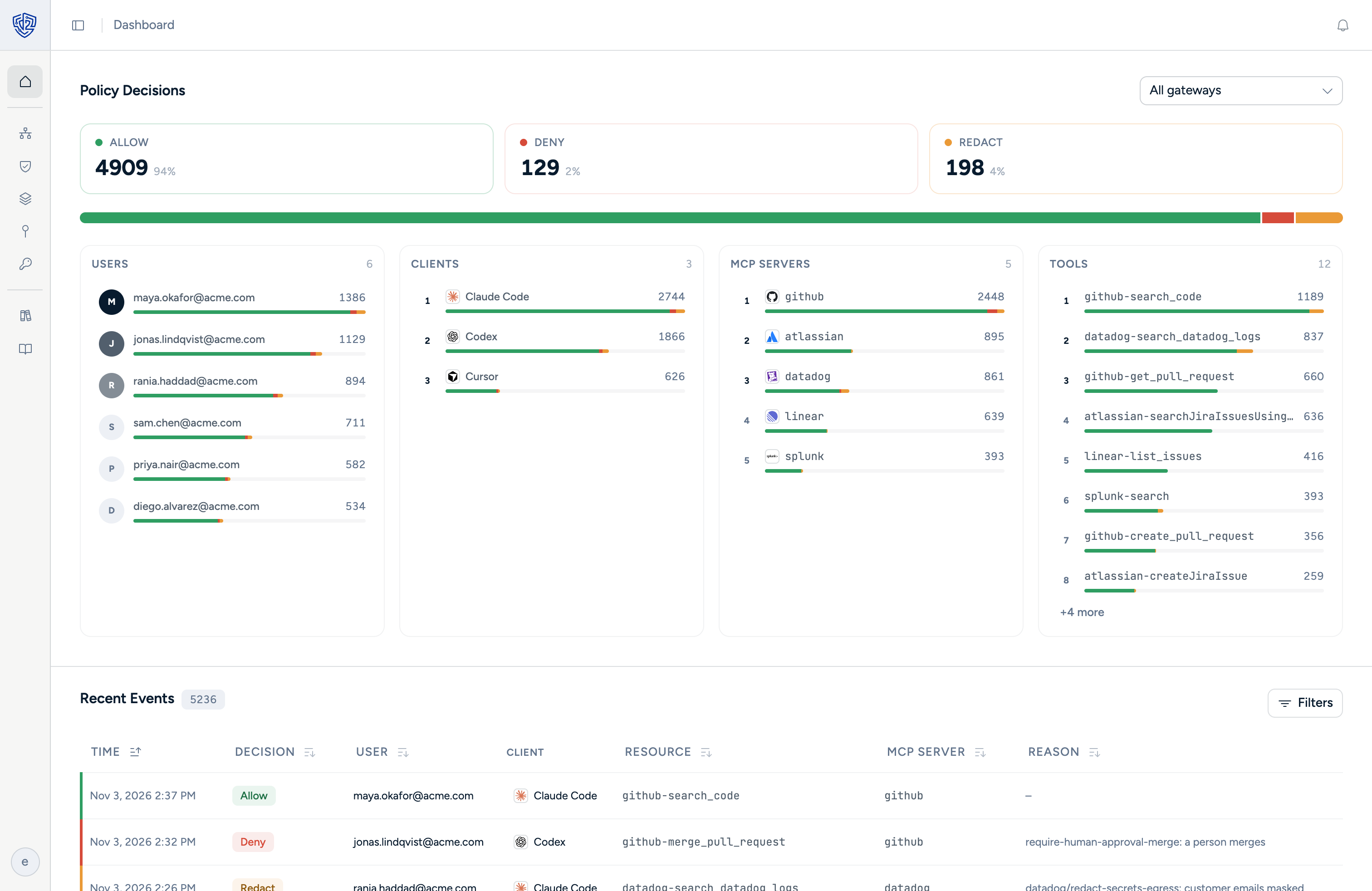
See this month's totals at a glance. A jump in blocked calls can mean a policy is too strict, or that someone is trying something they shouldn't.
See which people, MCP servers and tools are behind the activity. Find out which apps your team actually relies on, and who's getting the most out of AI.
Users
MCP servers
 Salesforce
 Microsoft 365
 GitHub
Tools
Each call shows who made it, which AI client and app were involved, and the policy that decided the outcome. No guessing why something was blocked.
 Claude
m365.send_mail Blocked No email outside acme.com  Cursor
zendesk.get_ticket Redacted Mask payment data  Codex
github.create_pr Allowed With the Dtwo plugin in your AI client, you can ask questions about your logs instead of digging through them. Find out who did what, spot patterns, and get a summary ready for your next audit.
Dtwo plugin
43 attempts were blocked by "No email outside acme.com":
Dtwo plugin
4 policies blocked the most calls:
For every tool call: who made it, which AI client, app and tool were involved, when it happened, and what your policies decided. The data sent to the tool is never stored.
No. Every connection between your AI clients and your apps goes through Dtwo, so that's where activity is logged.
People sign in to Dtwo with your identity provider, like Microsoft Entra or Okta. Every call they make is recorded under their name.
Install the Dtwo plugin in your AI client. Then ask things like "who was blocked from sending email this week?" and get an answer from your logs.
Both. The same policies that show up in your logs block risky actions, narrow requests and redact sensitive data before AI sees it.
See every action, every decision and every policy that made it.
Free Trial