
Engineers
Investigate bugs and draft fixes with AI.
Search code, trace issues across tickets and docs, and draft the fix. Open pull requests without merge rights.
For Software Engineering
Connect AI to your engineering systems while controlling what it can read, change, merge, and deploy. Protect production. Prevent unauthorized actions.
Connect AI to your dev stack
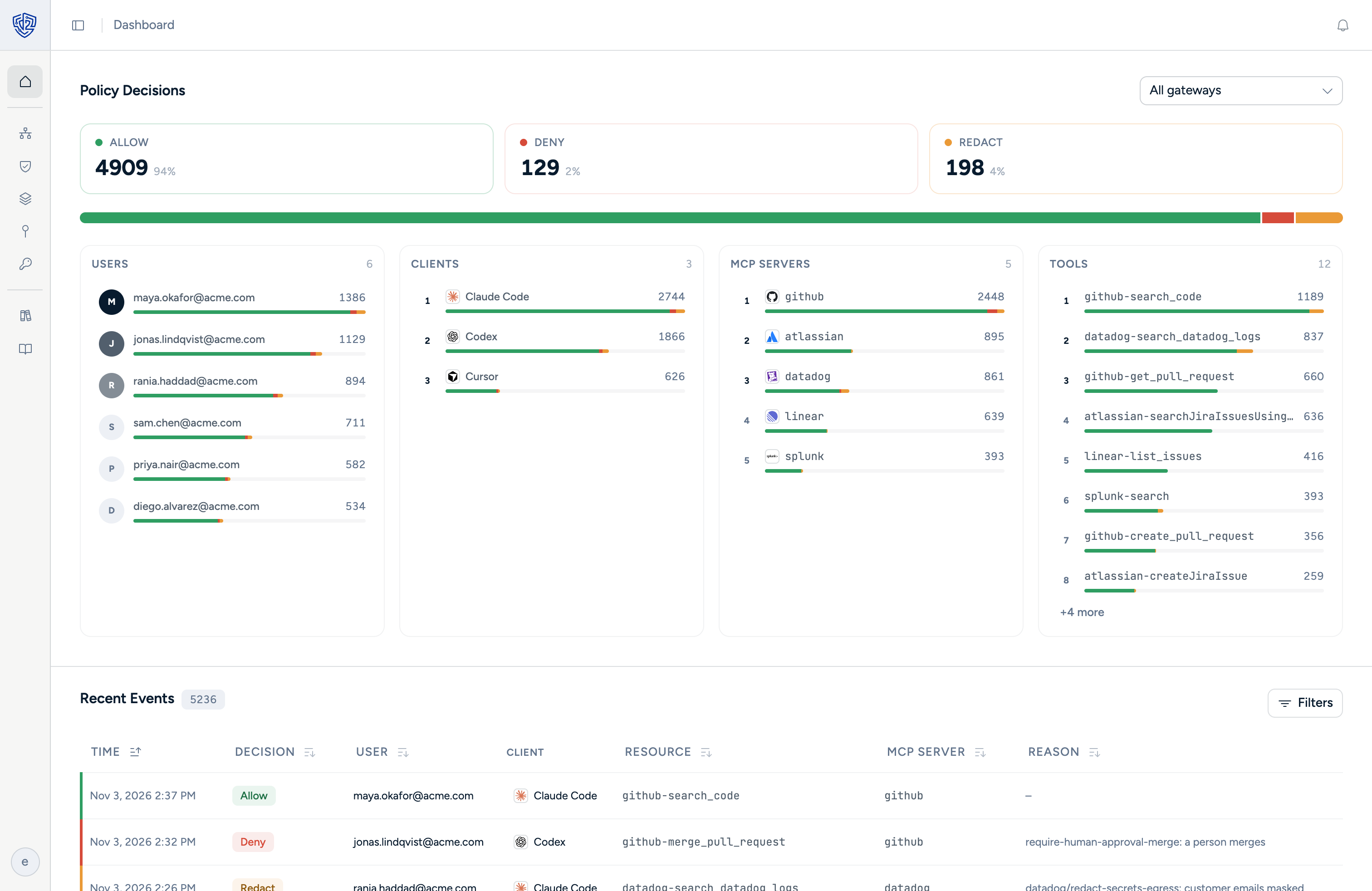
Dtwo evaluates every request before it reaches your systems. Agents can read and change only what you allow. Every decision is recorded.
 GitHub Request delivered.
 Datadog Request delivered. GitHub Request delivered. GitHub Never reached. Datadog Request delivered.
 Atlassian Request delivered. GitHub Never reached. Atlassian Request delivered.
Chat-only AI still leaves the work to you. Connect AI to your engineering systems and it can search code, trace incidents, draft fixes, and update tickets. Dtwo controls what it can do.
Investigate bugs and draft fixes with AI.
Search code, trace issues across tickets and docs, and draft the fix. Open pull requests without merge rights.
Triage incidents with live data.
Query logs, review incidents, and update runbooks without allowing deploys, rollbacks, or destructive changes.
Set the rules once. Enforce them everywhere.
Control what AI can read, change, merge, and deploy. Require approval for production actions. Record every decision.
See who made the request, which agent and tool acted, what system it reached, and which policy decided the outcome.
Setup
Deploy with confidence
Free to start. Connect one repo and one chat tool, try the incident triage, and decide from there.